How to Create a Responsive Login Form Using HTML &...
Read More
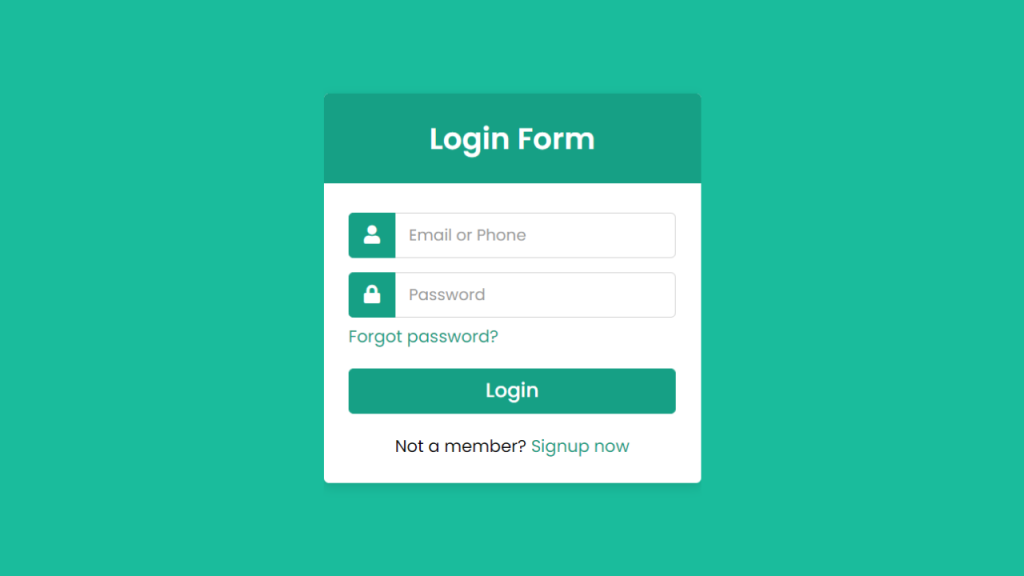
How to Create a Responsive Login Form Using HTML & CSS
Login forms are a key part of modern websites and applications. A clean and responsive login form improves user experience, provides intuitive navigation, and makes your project look professional. In this tutorial, we’ll create a fully responsive login form with:
Input fields for email/phone and password
Icons inside input fields for better UX
A “Forgot password?” link
Signup link for new users
Modern hover and focus effects
Mobile-friendly responsive design
We will separate the HTML (index.html) and CSS (style.css) files to follow best practices.
1. HTML Structure (index.html)
The HTML file contains the structure of the form. Here’s what each part does:
<div class="wrapper">– Main container that centers the form on the page.<div class="title">– Displays the heading/title of the login form.<form>– Contains all input fields and buttons.<div class="row">– Wraps each input with its icon.<i class="fas fa-user">– Font Awesome icon for user/email.<i class="fas fa-lock">– Font Awesome icon for password..pass– Link for “Forgot password?”.button– Contains the submit button.signup-link– Link for users who want to sign up
2. CSS Styling (style.css)
The CSS controls appearance and responsiveness. Here’s the breakdown:
body– Centers the form vertically and horizontally and sets a background color..wrapper– White box with rounded corners and a subtle shadow..title– Header with background color and centered text..row input– Input fields with padding, rounded corners, and focus effects..row i– Icons inside the input field, aligned with the text..pass a– “Forgot password?” link styling with hover effect..button input– Submit button with hover effect..signup-link a– Signup link styling with hover effect.
Index.html
2. CSS Styling (style.css)
The CSS controls appearance and responsiveness. Here’s the breakdown:
body– Centers the form vertically and horizontally and sets a background color..wrapper– White box with rounded corners and a subtle shadow..title– Header with background color and centered text..row input– Input fields with padding, rounded corners, and focus effects..row i– Icons inside the input field, aligned with the text..pass a– “Forgot password?” link styling with hover effect..button input– Submit button with hover effect..signup-link a– Signup link styling with hover effect.
style.css
RECENT POSTS
Login Form with Facebook and Twitter Buttons Using HTML & CSS
Social logins have become a popular feature in modern websites...
Read More